
Your Independent Stockity Guide
How to log in, register, deposit, withdraw, and download the Stockity app — explained step by step, plus honest, plain facts about its licensing.
Start here
These four pages answer the most searched questions:
Why use this guide?
We focus on clarity, honesty, and safety — not profit promises.
Straight to the point
Plain language — how to log in, register, deposit, withdraw, and fix common issues.
Honest about risk
We don't hide the Bappebti status or the high-risk nature of the product.
Official links only
Every link points to Stockity's own properties — we host no APK ourselves.
Troubleshooting guides
Fixes for errors, login failures, pending deposits/withdrawals, and more.
Indonesian & English
Every page is available in both languages with the same slug.
What is Stockity?
Stockity is an online Fixed-time trading / binary options platform — Stockity trading is essentially predicting an asset's price direction within a fixed time window. Minimum deposit is USD 10, there are 140+ assets, and a demo account lets you practise without real money. The platform's official site is stockity.com; this page is an independent guide (not the official site).
We're honest about regulation: Stockity is operated by Verte Securities Limited in Vanuatu under a VFSC (Vanuatu) — offshore, not tier-1 licence, and is not registered with Bappebti. Claims like "3.5M users" are the company's, not ours.
Minimum first deposit to start with real funds.
Smallest transaction value per order.
Example virtual balance on a USD account (resettable).
Currencies, commodities, indices, stocks, crypto.
Including Rupiah for Indonesian users.
| Minimum deposit | USD 10 |
|---|---|
| Minimum per order | USD 1 |
| Assets | 140+ |
| Demo account | Yes (virtual balance) |
| Account currencies | USD, EUR, IDR |
| Apps | Android (Google Play + APK) · iOS (App Store) |
| Licence | VFSC (Vanuatu) — offshore, not tier-1 |
| Bappebti | Not registered |
Stockity account types
Pick what suits your experience. Start with a risk-free demo before using real funds.
Gold
- ✓Withdrawal within 24 hours
- ✓Refer a friend up to $50
VIP
Most popular- ✓Personal manager
- ✓Withdrawal within 4 hours
- ✓Risk-free trades
- ✓Refer a friend up to $850
- ✓Free access to VIP tournaments
Platinum
- ✓Deposit insurance (if balance reaches 0)
- ✓Personal manager
- ✓High-priority support
- ✓Withdrawal within 4 hours
- ✓Risk-free trades
- ✓Refer a friend up to $850
- ✓Free access to VIP tournaments
Demo account
Virtual balance with no financial risk and no time limit. Ideal to explore features & test strategies before using real funds.
* Tier names (Statuses), upgrade requirements, and exact benefits can change — always check on the platform. Statuses →
Stockity platform features
Get to know the main features before you start — all within a high-risk product.
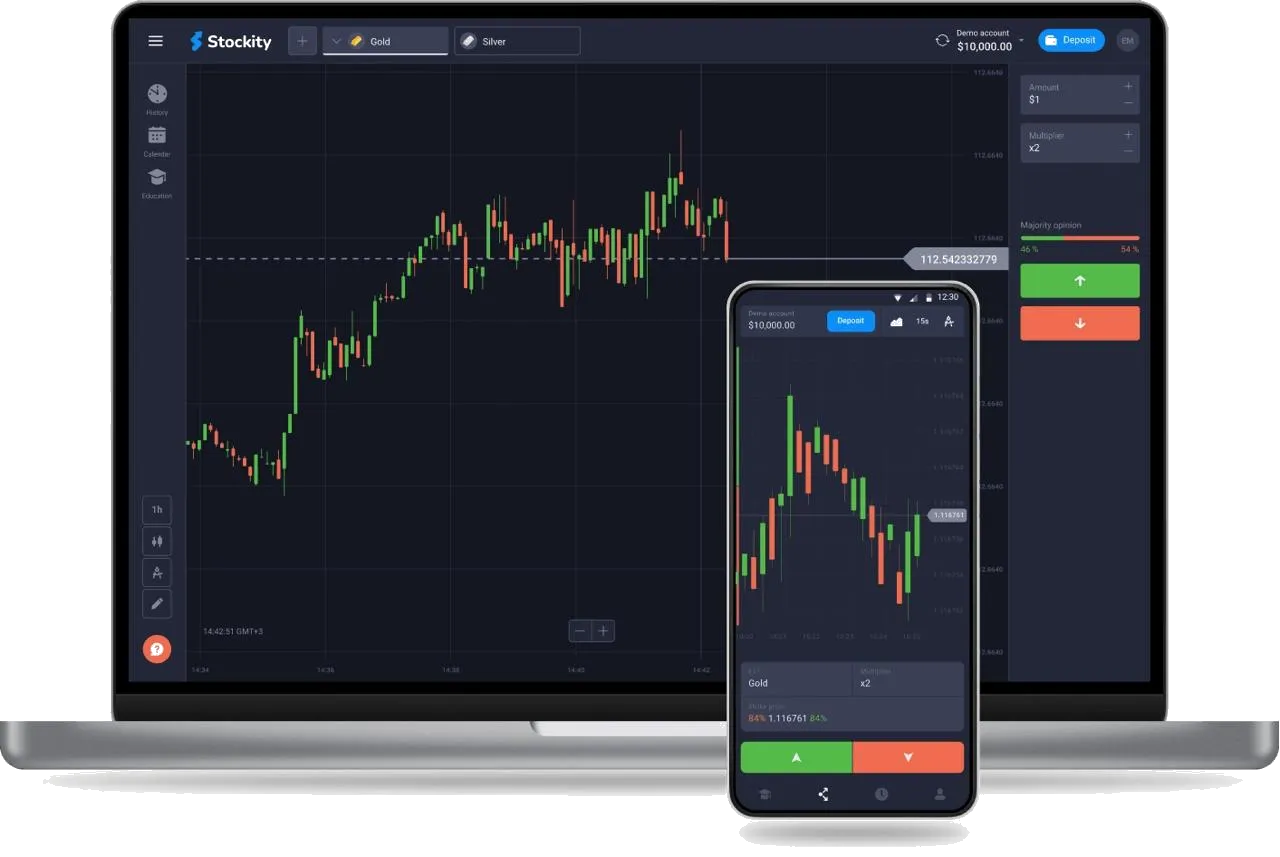
- Tradable assets Stockity offers 140+ assets for fixed-time trading across several asset classes.
- Statuses (account tiers) An account-tier system (Statuses) that may affect certain features/benefits.
- Tournaments Prize trading competitions; often with their own rules & entry.
- Copy Trading Copying other traders — past performance is no guarantee of results.
- Multiplier An exposure multiplier (e.g. x2) that amplifies potential gains and risk alike.
- Majority opinion (sentiment) Shows the share of traders choosing up vs down — crowd opinion, not a guarantee.
- Indicators & chart tools Technical indicators on the chart for analysis — an aid, not a guarantee.
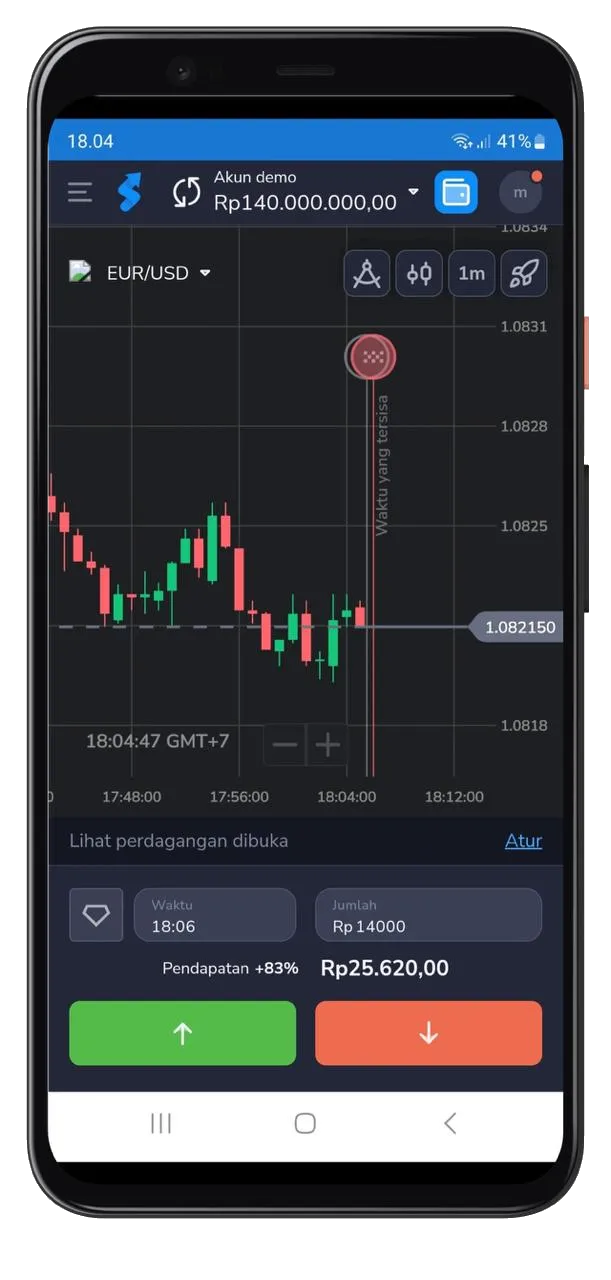
Stockity App Access Anywhere
Enjoy the platform's features right from your phone. Open a demo account, then manage real funds based on your account conditions.
- Access your account & main features from mobile
- View charts & indicators for analysis
- Track account history & activity
- Sync between web and app
Start with simple steps
Follow this process for a more structured experience — especially before using real funds.
- 01
Create an account
Complete sign-up and keep your email active to receive important notifications.
- 02
Try demo or add funds
Start with a demo to explore features. If using real funds, meet the funding requirements.
- 03
Set up & start mindfully
Define your limits & parameters. Make decisions based on your own understanding.
Apply sensible security measures to protect your account. Remember: most retail users lose money.
Deposits & Withdrawals
Several ways to add & withdraw funds. This is general guidance — always check the latest details in your account before transacting.
E-wallet
E-wallet services to add/withdraw funds. Often processed quickly depending on the provider.
Bank cards
Debit/credit cards for funding. Limits & conditions follow the issuing bank.
Local bank transfer
Transfer via local bank channels through partners. Availability varies by region.
Depends on method & account checks. E-wallets are often faster.
Usually fairly quick; can take longer if extra checks are needed.
- Minimum/maximum limits are shown on the platform when selecting a method.
- Method availability varies by region, account type, and payment provider.
- Never send funds to an individual's personal account claiming to be an 'agent'.
Common questions
Is Stockity safe and legal in Indonesia?
Stockity is offshore VFSC (Vanuatu) licensed, not a tier-1 regulator, and not registered with Bappebti. Binary options are not recognised as legitimate futures trading in Indonesia. Understand the risks — see the Regulation page.
What is the minimum deposit on Stockity?
The minimum deposit is USD 10. A demo account with virtual balance is also available to practise without depositing.
Is this the official Stockity site?
No. StockityBrokers is an independent guide and contains affiliate links. We are not owned by Stockity.
How do I download the app?
It's available on Google Play (Android) and the App Store (iOS). See the App page for full steps.
Ready to try?
Open an account via the official link, and start with a demo account first.